To void an unused check for direct deposit, write “VOID” clearly across its front in permanent blue or black ink, keep the bank routing and account details readable, and leave the check unsigned. Complete payroll’s separate authorization process and submit the requested record through its approved channel. If you have no checks, ask payroll and your bank which official alternative they accept.
For U.S. readers · Sources checked November 1, 2026 · These instructions concern an unused personal check used for account information. A check already issued, lost, or involved in a payment dispute needs a separate bank inquiry.
A voided check helps payroll identify a deposit account. It is not an earnings statement, and preparing it does not confirm that payroll has activated direct deposit. Treat account verification, authorization, and the eventual payment as separate steps.
Why does an employer request a voided check?
Chase’s voided-check guide explains that the document provides account-holder and banking details used in setting up payroll deposits. The check is supplied for that information, rather than as a payment to the employer.
Ask whether payroll specifically requires a voided check or offers another verification method. Use the account where you want the wages deposited and confirm any account-ownership requirements.
How do you void the unused check?
- Select an unused check for the intended account. Check the account details against the bank’s information.
- Use permanent blue or black ink. Make the marking clear on the copy you will submit.
- Write VOID across the front. Keep the account and routing details at the bottom readable.
- Leave the check unsigned. Do not turn it into a completed payment to payroll.
- Record the check number as voided. Note why it was used so it is accounted for in your records.
Huntington’s instructions describe permanent ink, visible VOID markings, and recording the check number. U.S. Bank’s direct-deposit form specifically tells users to attach a new check marked VOID without signing that check.
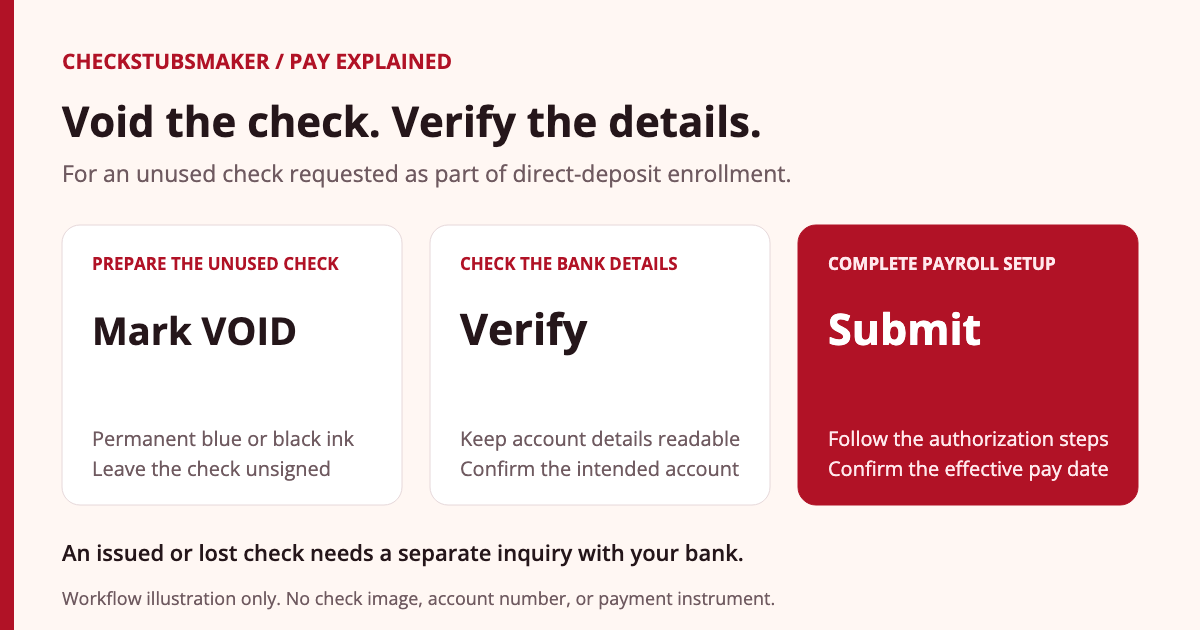
Check the finished copy for legibility. A mark that obscures the numbers payroll needs can defeat the purpose of supplying the document.
Which numbers should you verify?
| Detail | What to verify | Common reading problem |
|---|---|---|
| Routing information | The bank confirms the number appropriate for the deposit setup | Assuming every transfer instruction uses the same number |
| Account number | It matches the selected deposit account | Copying a different account or transposing digits |
| Check number | It identifies the paper check being marked void | Mistaking it for the deposit account number |
| Account type and holder | They match payroll’s instructions and bank record | Submitting a record for an unintended account |
Do not guess when a printed layout is unclear. Ask the bank for the correct account details or an official direct-deposit document. Compare the submitted form with that record before finalizing the request.
What if you do not have paper checks?
Ask which alternatives payroll accepts before ordering checks. Possibilities to discuss include a bank-generated direct-deposit form, an approved account-verification record, or the employer’s authorized digital enrollment process.
For a current bank example, Bank of America’s direct-deposit instructions describe prefilled forms and digital enrollment for eligible accounts and payroll providers. Those are its services, not a promise that every bank or employer offers the same process.
Chase’s guide also discusses alternative enrollment records. Confirm the actual document required; do not assume a deposit slip, bank statement, or homemade check image is interchangeable with a voided check.
A useful request is: “I do not have paper checks. Do you accept my bank’s direct-deposit form or another official account-verification document, and what details must it show?”
Do you sign the check or the direct-deposit form?
Keep the unused check unsigned. Complete and sign a separate authorization only where payroll’s process calls for it. The U.S. Bank form illustrates this distinction: it tells the user not to sign the check while providing a separate authorization signature area.
Follow your employer’s own instructions for a new setup or account change. If multiple accounts are involved, check each allocation and the destination for any remainder. Our direct-deposit pay-stub guide explains how those allocations can appear on an earnings statement.
Use the verified payroll channel for the account record. Keep your submitted copy and confirmation with the setup instructions, and retain or dispose of extra copies appropriately because the banking details remain visible even after VOID is written.
How do you know payroll has activated the setup?
Ask payroll which payment date the request is expected to affect and how to check its status. Do not assume the next paycheck will use the new account simply because you submitted the paperwork.
Chase’s setup guidance recommends confirming deposits through account activity and checking employer-specific timing. Verify the first affected payment and its allocation on the employer’s statement.
Compare the amount assigned to each account with the corresponding credit. Our pay-stub and bank-statement comparison covers that reconciliation. If a record or payment is missing, ask payroll for the actual status and transaction details.
Is voiding the same as stopping payment on an issued check?
No. For a check already issued, misplaced, or needing cancellation, contact the bank promptly about the applicable process. Marking a copy or a different check VOID does not instruct the bank to stop that payment.
The CFPB’s stop-payment guidance says to contact the bank or credit union right away and explains that procedures, fees, and duration vary. Ask about the actual check and its status instead of relying on the unused-check enrollment procedure.
| Situation | Next step | Confirmation needed |
|---|---|---|
| Unused check for payroll setup | Prepare the requested voided record and authorization | Payroll acceptance and effective date |
| No checkbook | Ask about an official alternative | Accepted document and required fields |
| Issued or lost check | Contact the bank about the specific check | Payment status and applicable bank process |
Frequently asked questions
Should I sign a check supplied only for direct-deposit setup?
Leave that unused check unsigned and follow the separate authorization instructions.
Should VOID cover the routing and account numbers?
Keep the banking details needed for enrollment readable.
Do I always need a checkbook for direct deposit?
Ask about the bank’s and employer’s accepted official alternatives.
Does submitting a voided check activate direct deposit immediately?
Confirm the effective payment date and actual deposit with payroll and the bank record.
Can writing VOID stop a check already issued?
Use the bank’s process for the specific issued check. Do not substitute this unused-check procedure.
Prepared by the CheckStubsMaker Editorial Team using primary bank instructions and CFPB guidance, with original checklists. See our editorial policy. Your bank and payroll provider determine the required document and setup process.