YTD means “year to date.” On a pay stub, it shows accumulated payroll amounts from the start of the year through the current payment. YTD gross earnings, taxes, deductions, and net pay each track a different measure. Use the current column to check one payment and the matching YTD column to check its running total. Adding YTD figures from consecutive statements can count the same earlier payments more than once.
For U.S. employees · Sources checked October 14, 2026 · All amounts and payment dates below are fictional examples.
Your latest pay stub may show several large totals even when the current paycheck is modest. Those figures often represent the year’s accumulated activity. Read the row name and column heading together before treating any number as wages, tax withheld, or cash paid.
What is the difference between current pay and YTD pay?
Current describes the payment you are reading. YTD describes accumulated activity through that payment. Gusto’s pay-stub guidance, for example, defines YTD totals as including the current pay period within the calendar year.
Start with the label attached to the amount. The CFPB pay-stub handout distinguishes gross income, deductions, and net income, including their YTD totals.
| Row or field | Current column | YTD column |
|---|---|---|
| Gross earnings | Earnings before employee deductions for this payment | Accumulated gross earnings for the year |
| Federal income tax | Federal tax withheld from this payment | Federal tax withheld so far this year |
| Social Security or Medicare | The named employee tax for this payment | Accumulated withholding for that tax |
| Employee benefit contribution | Contribution withheld from this payment | Contributions accumulated for that benefit |
| Net pay | Take-home amount under the statement’s calculation | Accumulated net amounts under that calculation |
Keep different fields distinct. A YTD federal tax amount is not YTD income, and a YTD taxable-wage amount may differ from gross earnings. Employer contribution totals should also be identified separately from amounts withheld from the employee.
How do you calculate YTD gross pay from consecutive statements?
Assume a fictional employee’s first three payments of 2026 each contain $2,000 in ordinary gross cash earnings. There are no other payments, corrections, or noncash earnings in this example.
| Pay date | Current gross | YTD gross |
|---|---|---|
| January 9, 2026 | $2,000 | $2,000 |
| January 23, 2026 | $2,000 | $4,000 |
| February 6, 2026 | $2,000 | $6,000 |
You can verify the latest total in either of two ways:
- Add separate current amounts: $2,000 + $2,000 + $2,000 = $6,000.
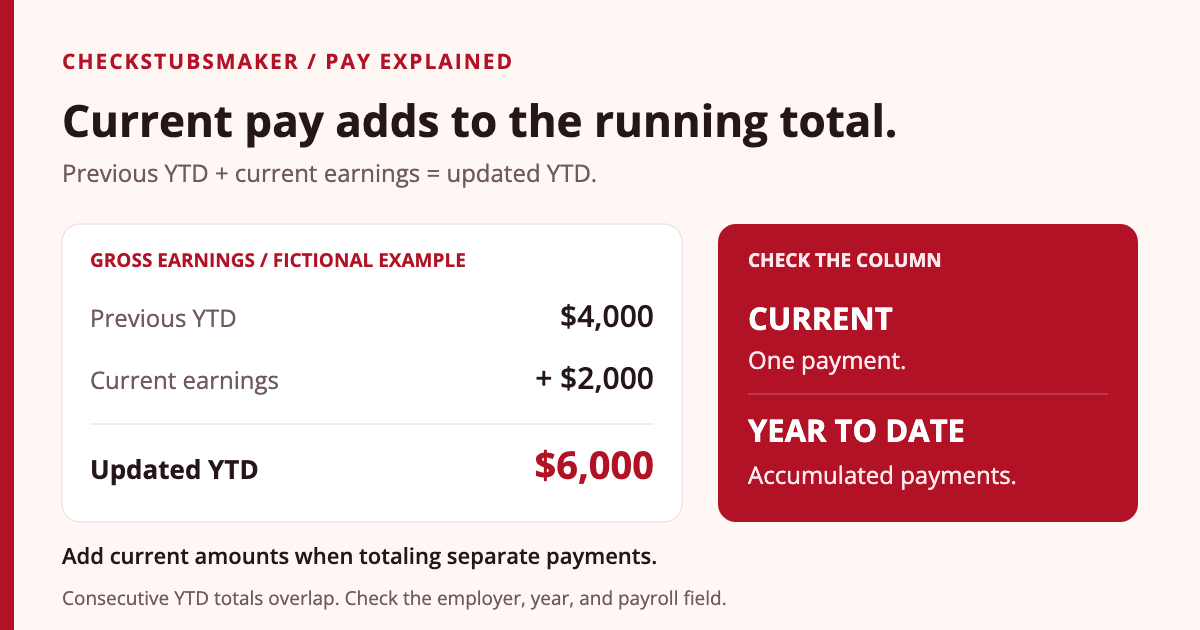
- Carry forward the prior total: $4,000 previous YTD + $2,000 current gross = $6,000 updated YTD.
Adding the three printed YTD totals instead gives $2,000 + $4,000 + $6,000 = $12,000. That double-counts earlier payments. The employee received $6,000 in gross earnings across the three payments, not $12,000.
Use the carry-forward check only when the statements concern the same employer, payroll year, and earnings measure, with no intervening payment or correction. A bonus statement between two regular paydays must be included too.
How do YTD taxes and deductions accumulate?
Continue the same fictional three-payment example. Each $2,000 payment has $180 in assumed federal income-tax withholding and a $100 traditional pre-tax employee 401(k) contribution. There are no other deductions, reimbursements, or wage adjustments. Wages remain below the Social Security wage base and Additional Medicare withholding threshold.
The ordinary employee rates in IRS Topic 751 produce $124 in Social Security tax and $29 in Medicare tax per payment. The $180 federal withholding is an illustrative input, rather than a calculation from a particular W-4.
| Payroll item | Current | YTD |
|---|---|---|
| Gross cash earnings | $2,000 | $6,000 |
| Federal income-tax withholding | $180 | $540 |
| Social Security tax | $124 | $372 |
| Medicare tax | $29 | $87 |
| Traditional pre-tax employee 401(k) | $100 | $300 |
| Total employee deductions | $433 | $1,299 |
| Net pay | $1,567 | $4,701 |
Current net pay is $2,000 − $433 = $1,567. YTD net pay is $6,000 − $1,299 = $4,701. Check corresponding amounts: current gross against current deductions, and YTD gross against YTD deductions.
Multiplying current deductions by three works here because every payment is identical. Actual withholding and benefits can change between payments. For a real reconciliation, add the individual current entries or compare successive running totals. Our deduction-code guide explains common labels.
Why can YTD taxable wages differ from YTD gross pay?
Tax calculations can use different wage amounts. IRS Topic 424 explains that traditional pre-tax employee 401(k) deferrals generally reduce federal income-tax wages while remaining subject to Social Security and Medicare.
In the stated example, YTD gross wages are $6,000 and traditional pre-tax contributions are $300. Federal income-tax wages are therefore $6,000 − $300 = $5,700. Social Security and Medicare wages remain $6,000 under these assumptions.
These figures describe the same payroll activity under different rules. They are not three separate sources of income. Other benefits, taxable noncash items, or special wage treatment can change the relationship. The imputed-income guide explains why some taxable amounts do not increase cash pay.
At year-end, match annual payroll totals to the corresponding W-2 boxes. The IRS W-2 instructions distinguish federal wages, Social Security wages, Medicare wages, and withheld taxes. A February YTD snapshot does not represent a full year if later payments occur. See our W-4 and W-2 comparison for the forms’ roles.
When does YTD reset, and which year includes a January payment?
Calendar-year payroll totals start a new accumulation for the new year. The pay date can matter even when the work period crosses December and January. The IRS W-2 instructions state that entries are based on wages paid during the calendar year.
For example, assume a payment for late-December 2025 work is first paid and made available on January 9, 2026. It belongs in 2026 wage reporting under that ordinary payment-date rule. Do not assign it to 2025 solely because some work occurred in December.
Check the employer, tax year, and date before comparing a December statement with a January one. A lower January YTD total can reflect the new year rather than missing wages. If a portal also displays a fiscal-year or another reporting-period total, confirm its definition instead of assuming every running counter uses the same calendar.
What happens to YTD when you change jobs or payroll systems?
A different employer’s statement normally concerns that employer’s payroll. Starting a new job partway through the year does not mean its YTD gross field includes wages from the previous job. Keep each employer’s records separate before combining corresponding income figures.
Do not add an old statement’s YTD amount and a later statement’s YTD amount from the same employer unless you have established that they cover separate, nonoverlapping records. If an employer changes payroll providers, ask whether the new system’s totals include opening balances from the old one.
Gusto’s cited statement guidance notes that older pay stubs may be in another payroll system. Retrieve those records when needed, and ask payroll which payments the new YTD total includes. Our previous-employer guide explains how to request missing copies.
YTD gross also differs from an annual salary or a forecast. It records accumulated payroll activity through a particular date. Our annual-income guide explains how to keep amounts already paid separate from an estimate of future earnings.
How should you check a YTD amount that looks wrong?
- Match the records. Confirm the same employer, payroll year, and field on both statements.
- Collect every relevant payment. Include separate bonuses, off-cycle payments, and corrected statements.
- Add current amounts. Use each payment once. Identify superseded copies rather than counting both versions.
- Compare like measures. Gross earnings, federal taxable wages, employee withholding, and employer contributions are distinct.
- Review corrections and opening balances. Ask which adjustments are already included in the displayed totals.
- Request a payroll explanation. Name the field, pay date, displayed amount, and total your records produce.
For a carry-forward difference, a focused question is: “My previous YTD gross was $4,000 and current gross is $2,000. Which payment or adjustment explains a new total other than $6,000?” The figures are illustrative; use the actual amounts from your statements.
Bank credits can help check cash payments but do not identify every wage or deduction measure. Reimbursements and split deposits can also affect comparisons. Our direct deposit guide explains how to match payment amounts to bank records.
Frequently asked questions
Does YTD include the current paycheck?
YTD on a completed payroll statement generally includes the current payment. Check the statement’s cutoff and field definition if you are viewing a separate report.
Is YTD gross the same as annual salary?
YTD gross reflects accumulated earnings through the statement date. Annual salary is a pay rate for a full year. A raise, bonus, unpaid time, or partial year can make the figures differ.
Should I add the YTD figures from all my pay stubs?
Use individual current amounts when adding separate payments. Consecutive YTD totals usually overlap, so summing them can count earlier earnings repeatedly.
Can YTD be lower than on an earlier statement?
Check for a new calendar year, a different employer or field, and a payroll correction. Ask payroll to explain a reduction within the same year and measure rather than assuming it is an ordinary payment change.
Which YTD figures should I enter when preparing a pay stub?
Use verified accumulated totals through the relevant payment date and keep them separate from current earnings and deductions. When formatting payroll records with CheckStubsMaker, reconcile each field with the actual payment history.
Sources and editorial notes
This guide uses CFPB pay-stub definitions, official Gusto statement guidance, and IRS payroll-tax, retirement-plan, and W-2 reporting guidance. The three-payment example is original and assumes the stated ordinary wage and contribution treatment.
Published by the CheckStubsMaker Editorial Team. Read our editorial policy for sourcing and corrections.