To find your employer’s EIN on a pay stub, look for a field explicitly labeled EIN, Employer Identification Number, or Federal Tax ID near the employer information. If it is not shown, check box b of your employer-issued Form W-2 or ask payroll to confirm it. Do not substitute an employee ID, control number, bank routing number, or state account number.
For U.S. employees · Sources checked October 26, 2026 · Any identifier patterns below are illustrative labels, not real tax identification numbers.
Payroll documents can contain several numbers with similar names. Finding a number is only the first step: you also need to establish what it identifies, which employer it belongs to, and whether it is the identifier the requesting form requires.
What is an employer identification number?
The IRS describes an EIN as a federal tax identification number for businesses, tax-exempt organizations, and other entities. It identifies the entity rather than an individual employee.
The EIN uses nine digits, commonly displayed in a two-digit/seven-digit pattern. The masked pattern XX-XXXXXXX illustrates the layout only. Matching that shape does not establish that a number is genuine or belongs to the employer.
An EIN does not show wages, hours, tax withheld, or employment dates. If an organization needs income verification, the identifier alone will not provide that information. Ask which employer-issued documents are required.
Where should you look on a pay stub?
- Open the complete employer-issued statement. A transaction receipt or cropped image may omit employer details.
- Read the employer-information section. Check the legal name, address, and any labeled tax-identification field.
- Search a digital document by label. Try EIN, Employer Identification Number, or Federal Tax ID if the PDF supports text search.
- Check the legend. A field called Employer ID or Company Code may be an internal payroll reference instead.
- Confirm an ambiguous field with payroll. Do not classify the number solely by its length or position.
Pay-stub layouts vary. A number printed in the top corner is not automatically an EIN, and the absence of an EIN field does not alone determine whether the statement meets applicable requirements.
The DOL pay-stub FAQ explains that federal FLSA recordkeeping is distinct from providing employee statements. State wage-statement requirements can differ; this guide does not claim that every U.S. pay stub must print an EIN.
For a portal-access problem, use our pay-stub request guide. Get the original statement before trying to interpret a truncated employer header.
Which numbers should you avoid confusing with an EIN?
| Identifier | What it identifies | What to check |
|---|---|---|
| Employer EIN | The entity for federal tax identification | Explicit EIN label and employer confirmation |
| Employee ID | Your internal employee record | The employer’s payroll or HR reference |
| Employee SSN | The individual employee | Personal-information field, not the employer field |
| W-2 control number | A reference used to identify an individual W-2 | Box d, distinct from box b |
| State employer account number | An account under the relevant state system | The specific agency or jurisdiction requested |
| Bank routing or payment reference | A banking destination or payment record | Banking section, not employer federal tax identity |
For example, an illustrative employee reference such as “EMP-0042” belongs to the employee’s payroll record. It should not be entered into an employer-EIN field. A masked number also may be incomplete for the requesting form.
The IRS W-2 instructions specifically distinguish the employer EIN in box b from the employee SSN in box a and the optional control number in box d. Read the correct form and box; other forms use different layouts.
Where is the EIN on a Form W-2?
On Form W-2, box b is labeled Employer identification number (EIN). Check it together with the employer name and address in box c, the tax year, and your employee information.
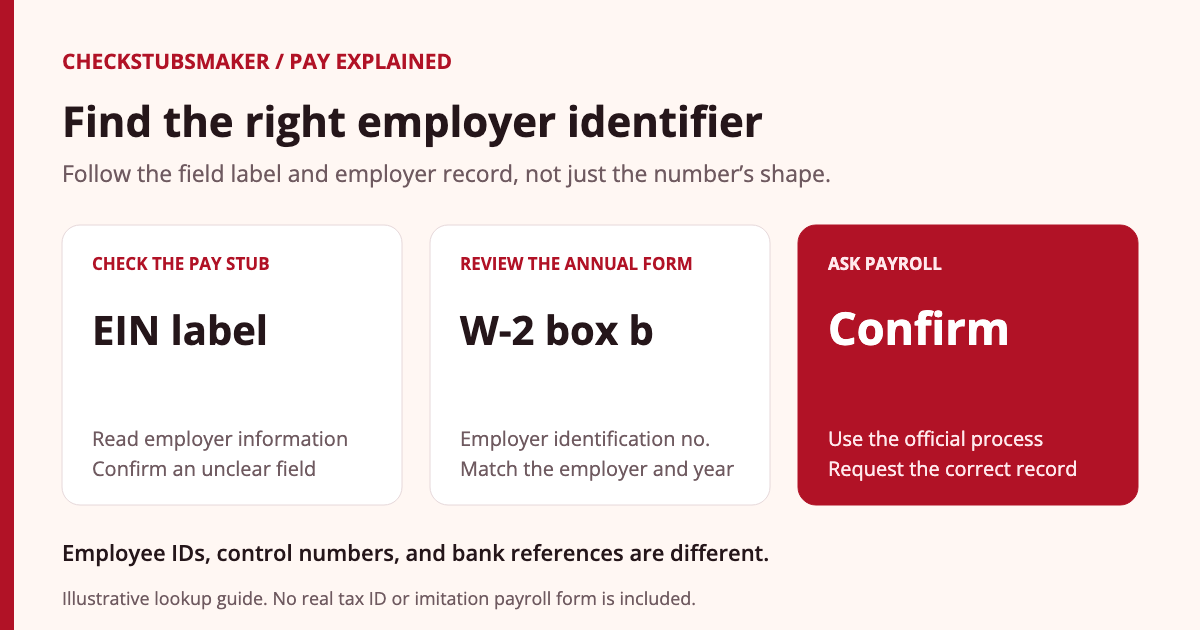
Use the W-2 for the employment and year relevant to your request. Do not automatically use another employer’s number because the forms look similar. If an annual form was corrected, ask payroll which version contains the current information.
Our W-4 versus W-2 guide explains why a withholding certificate and an annual wage statement serve different purposes. An employee’s Form W-4 is not the same document as the employer-issued W-2.
What should you do if the pay stub does not show an EIN?
| Situation | Useful next action | What to preserve |
|---|---|---|
| Pay stub has no EIN field | Check an applicable employer-issued W-2 or ask payroll | The statement and employer response |
| Employer ID label is unclear | Ask whether it is an EIN or an internal company reference | The full field label and explanation |
| Only part of the number is visible | Request confirmation through the employer’s secure process | The official confirmation, if provided |
| A form asks for a state account number | Confirm the requested jurisdiction and identifier | The form instructions and agency details |
| Employer information appears wrong | Request review and an official correction | Original and corrected employer-issued records |
A focused request could say: “I need to confirm the employer EIN for [legal employer name] for [year or employment dates]. My statement dated [date] does not display a clearly labeled EIN. Please confirm the correct identifier and which employer-issued record I should use.”
State why the number is needed so payroll can identify the appropriate entity and document. If a filing deadline is involved, follow the relevant form’s instructions and seek help promptly rather than entering an unconfirmed number.
What if the name on the W-2 differs from the workplace name?
Ask payroll to explain the legal employer name and any payroll-reporting arrangement. A workplace brand, business unit, payment description, and reporting entity can use different names. The difference needs an explanation tied to your employment.
Do not assume the payroll software provider’s brand identifies the employer’s tax number. Similarly, a public number associated with a parent company does not establish that it is the EIN relevant to your wage record.
Provide the pay date, employer name shown, and year when requesting clarification. If there is an actual error, follow our pay-stub correction guide and ask whether annual wage reporting also needs review.
Can an employee use the IRS process for a business’s lost EIN?
The IRS EIN page includes recovery steps for a business’s own missing number, such as checking its original notice or prior business records. It explains that the IRS verifies identity and provides a number by phone to an authorized recipient.
That business-recovery process is different from an ordinary employee asking for an employer’s EIN. Employees should start with their employer-issued W-2 and payroll contact. Business owners or authorized representatives should follow the current IRS instructions for their own entity.
Keep the confirmed record and any explanation with the documents it supports. Use an appropriate retention period, and share payroll documents through the requesting organization’s secure process. Ask which unrelated personal fields can be redacted.
Frequently asked questions
Is my employee ID the employer’s EIN?
No. An internal employee reference identifies your record; the employer EIN identifies the entity for federal tax purposes.
Does every pay stub display an EIN?
Do not assume it does. Check an applicable W-2 or request confirmation from payroll if no clear field is present.
Which W-2 box contains the employer EIN?
Box b. Check the employer name in box c and the relevant year as well.
Can I verify an EIN just by counting nine digits?
No. The format alone does not confirm the number’s validity or which entity it identifies.
Should I use an online result if it conflicts with my wage records?
Ask payroll to reconcile the employer identity and relevant record. Do not substitute an unconfirmed number into a form.
Prepared by the CheckStubsMaker Editorial Team using the primary sources linked above and original examples. See our editorial policy for sourcing and correction standards. Document layouts and reporting arrangements depend on the employer and applicable requirements.