A non-negotiable pay stub is generally an informational payroll statement that cannot itself be cashed or deposited as a paycheck. The label commonly appears on a direct-deposit advice. It does not mean your wages are unavailable or that you cannot question an error. Check the payment method, net amount, pay date, and actual bank or payroll-card transaction to establish how the wages were paid.
For U.S. employees · Sources checked October 22, 2026 · All amounts and account allocations below are fictional examples.
A payroll document can resemble a check while serving only as a record of earnings and deductions. Seeing “non-negotiable” across it can be confusing, especially after a first paycheck or a change to direct deposit. Read the document together with the payment record before deciding what action to take.
What does “non-negotiable” mean on a pay stub?
In this payroll context, the label indicates that the printed advice is not a payment instrument to present for cashing. It can still explain gross earnings, tax withholding, benefit deductions, and the amount assigned to another payment method.
Drake Accounting’s product documentation provides a concrete example: its software prints the label when payroll is set up for direct deposit. That describes how this particular system produces the document; other payroll systems may use different wording or layouts.
Dartmouth’s payroll guidance likewise describes a non-negotiable stub showing the direct-deposit amount. These examples explain why receiving a paper-looking statement can be consistent with electronic payment.
The label does not resolve whether hours, rates, or deductions are correct. You can still request an explanation or correction. It also does not establish that a specific deposit reached your account. Treat the statement’s calculations and the payment’s delivery as two questions to verify.
How is a non-negotiable stub different from a paycheck?
| Item | What to use it for | What to verify next |
|---|---|---|
| Non-negotiable pay stub or deposit advice | Review payroll amounts and the stated payment allocation | Find the separate payment transaction |
| Actual paper paycheck | Receive the payment through the issuing employer’s check | Confirm it is the current valid payment, not an advice or voided copy |
| Posted bank credit | Confirm money credited to that account | Match the amount and payment reference with payroll |
| Payroll-card transaction | Confirm funds loaded through that payment method | Compare the card’s transaction history with the payment allocation |
| Payroll portal preview | Review a displayed statement | Check whether it is final, scheduled, corrected, or replaced |
Do not try mobile check deposit with a document marked as an informational advice. If you expected a paper paycheck but received only this document, ask payroll which payment method was used and whether a separate check was issued.
A check number or signature-like printed field does not settle that question. Payroll layouts can carry reference fields across different payment types. Ask what the field means in your employer’s system instead of treating the page’s appearance as proof.
How do you match a non-negotiable stub with split deposits?
Consider a fictional statement showing $2,200 of current gross earnings and $450 in total employee deductions. Its net pay is $2,200 − $450 = $1,750. The $450 is an assumed total for this reading exercise, not a calculated tax estimate.
Suppose the employee’s payment instructions allocate $500 to savings and the remaining $1,250 to checking. The non-negotiable advice lists those two destinations. To reconcile the payment, compare both bank credits with the statement:
| Entry | Role in the comparison | Amount |
|---|---|---|
| Current gross earnings | Starting payroll amount | $2,200.00 |
| Employee deductions | Assumed total taken from gross | −$450.00 |
| Net pay | Amount to reconcile with payment | $1,750.00 |
| Checking credit | First payment destination | $1,250.00 |
| Savings credit | Second payment destination | $500.00 |
| Combined credits | $1,250 + $500 matches net pay | $1,750.00 |
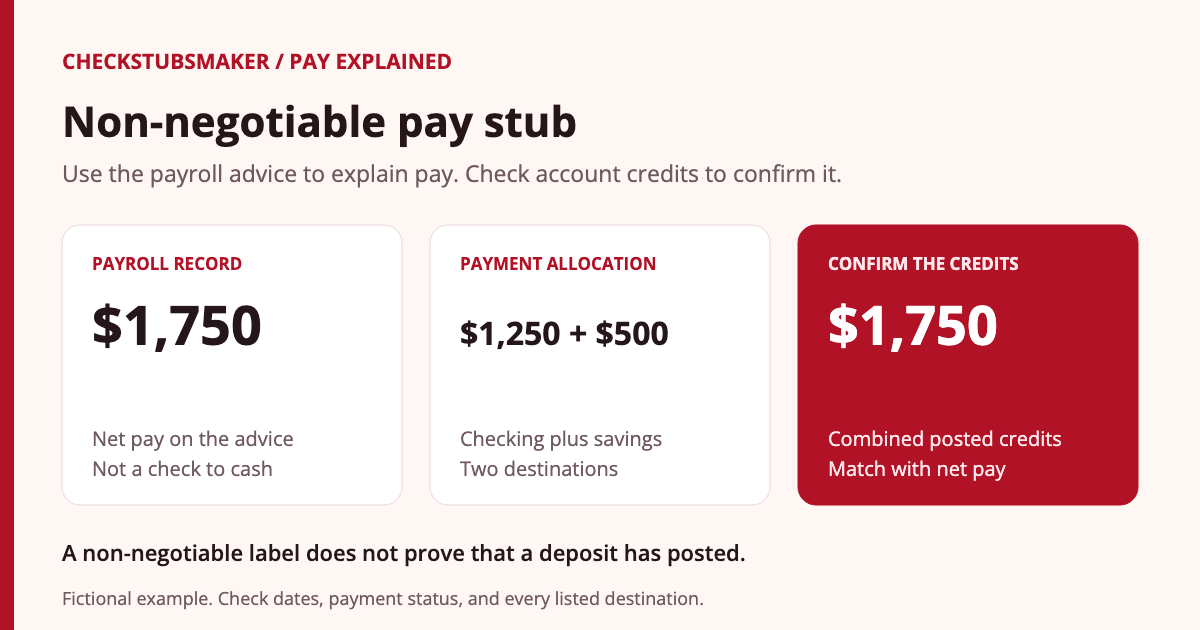
Checking only the $1,250 credit would leave an apparent $500 difference. Checking only gross earnings would create a different mismatch. Start with net pay after deductions, then account for every destination listed for that payment.
Use current-period amounts for this comparison. A YTD total includes earlier payroll activity and is not the amount expected from one deposit.
What if the stub is available but the deposit is missing?
- Confirm the pay date. A statement’s availability or pay-period end date can differ from the scheduled payment date. See pay period versus pay date.
- Check every payment destination. Review split accounts, an authorized payroll card, or a separate paper payment.
- Check the transaction status. Distinguish a posted credit from a pending item or a changed available balance.
- Ask payroll about delivery. Request the payment method, effective date, masked destination, and any returned, reversed, or replacement payment.
- Ask the bank about a confirmed transfer. Use the amount, expected date, and any trace information payroll can provide.
The CFPB’s funds-availability guidance explains the bank’s deadline by reference to when it receives the deposit. A payroll statement alone does not establish that receipt date. Ask the bank about its policy and the particular transaction rather than inferring availability from the document’s label.
Our direct-deposit pay-stub guide covers the broader payment-record comparison. If the issue is unpaid wages, preserve your hours, statements, and correspondence. The Department of Labor’s complaint guidance explains how to raise concerns covered by federal wage laws; applicable state wage requirements may also matter.
Does a zero-dollar check amount mean you earned nothing?
Not necessarily. First identify whether zero appears under gross earnings, net pay, or a paper-check payment field. A statement might allocate the net amount electronically while showing no amount payable by paper check. Ask payroll to confirm the field’s meaning.
If total net pay itself is zero, review the earnings and every deduction or adjustment. Do not assume direct deposit explains the entire result. Likewise, a positive gross amount does not tell you which payment method carried the remaining net amount.
When payroll issues a correction, identify which statement is current. Keep the original and replacement together with the explanation, so the same payment is not counted twice.
Can you use a non-negotiable stub as an income record?
It can provide payroll information, but the recipient decides which documents satisfy its requirements. Ask a landlord, lender, or other reviewer what dates, employer verification, and supporting records are needed. The label alone does not guarantee acceptance.
Download the employer-issued statement from a trusted portal. For a previous job, our previous-employer guide explains how to request records. Keep any required bank confirmation separately; it supports the payment comparison without replacing the earnings breakdown.
Share documents through the recipient’s secure process. Ask which personal fields can be redacted, while keeping required dates and amounts readable. Preserve an unedited original for your records and follow an appropriate retention period.
What should you ask payroll?
A focused request could read: “My statement dated [date] shows net pay of $[amount] and is marked non-negotiable. Please confirm the payment method, payment date, masked destination, and status. I can currently match $[amount] in posted transactions. Please explain any remaining difference.”
If the discrepancy concerns earnings or a deduction, identify that line separately. Provide dates and amounts through the established payroll channel; a full account number is not needed in an ordinary email requesting clarification.
Frequently asked questions
Can I cash a non-negotiable pay stub?
No. An informational payroll advice is not the paycheck to cash. Ask payroll to identify the actual payment if its method is unclear.
Does non-negotiable mean the employer can refuse a correction?
No. The label does not establish that the payroll calculations are correct. Request a reconciliation of the disputed line.
Does the label prove my direct deposit arrived?
No. Match the net amount and allocation with posted account transactions, and investigate any missing payment.
Why does the statement have a check number?
It may be a payroll reference. Confirm its meaning and payment type with payroll before treating it as a separate paper payment.
Should I remove the label before sharing the stub?
Keep the employer-issued record intact. Ask the recipient for its documentation requirements and request an official correction if information is wrong.
Prepared by the CheckStubsMaker Editorial Team using the primary sources linked above and original examples. See our editorial policy for sourcing and correction standards. Payroll fields and payment procedures vary by employer and provider.